 MarineOps
 Phone App Manual › Repair Orders
Photos & Notes
Take photos, mark model plates and leave notes on an RO.
Included in: Every plan
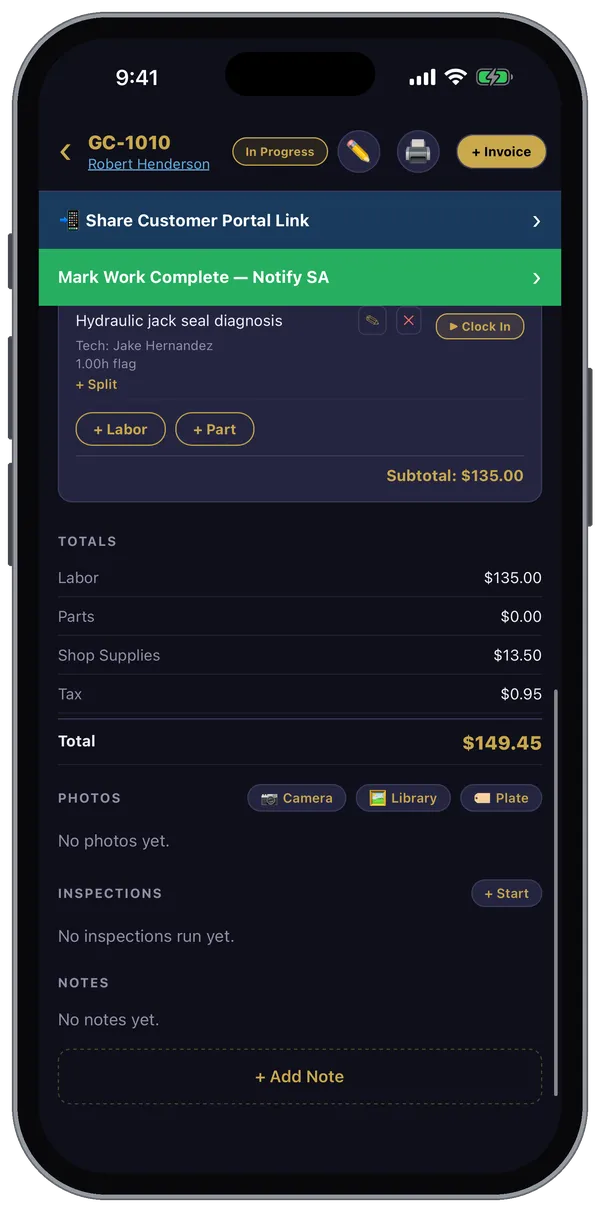
Photos and notes live at the bottom of every repair order. Everything you add shows up on the web version right away, and the office can share photos with the customer.
Photos
- 📷 Camera — take a photo now.
- 🖼 Library — pick photos you already took.
- 🏷 Plate — photograph a model or serial plate (on an appliance, generator, A/C, chassis). It's tagged PLATE so the office can find the part numbers fast.
Tap a photo to see it full size. From there you can mark it as a model plate (or un-mark it), share it, or delete it.
Take a photo before you start and after you finish — damage, worn parts, the finished repair. They answer most customer questions before they're asked.
Notes
Tap + Add Note to leave a note on the RO for the rest of the shop — a heads-up for the next tech, a reminder for the writer. Notes are separate from the tech notes on each concern, which describe the work itself.
No signal?
Photos taken without service are saved on the phone and upload by themselves when you're back online.
Still stuck? Send us a message (or email [email protected]) and tell us what you were trying to do — we answer within one business day.