 MarineOps
 Phone App Manual › Time & Road Calls
Schedule & Dispatch Board
See bookings and assign coaches to techs.
Included in: Every plan
Writers, dispatchers and owners can see the whole shop's schedule and hand out work from the app.
Schedule
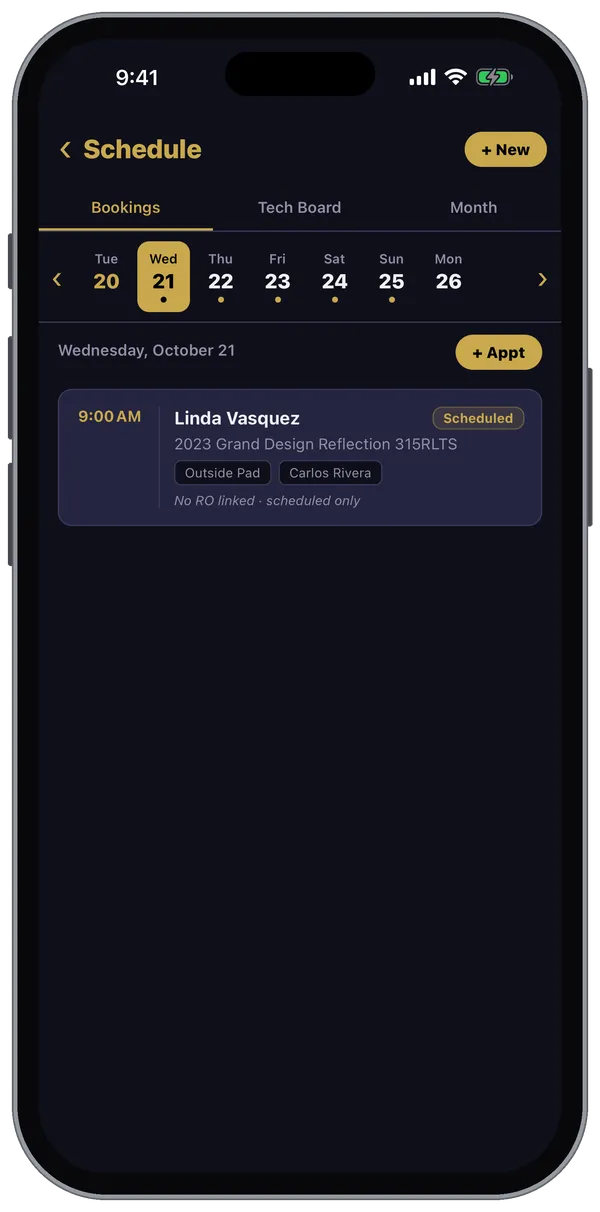
Go to More → Schedule. Three views across the top:
- Bookings — pick a day on the strip (a dot means there's something booked) to see its drop-offs and road calls. Tap View RO › to open the repair order.
- Tech Board — each tech's day.
- Month — the month at a glance.
Tap + Appt (or + New) to book a drop-off or a road call.
Dispatch Board
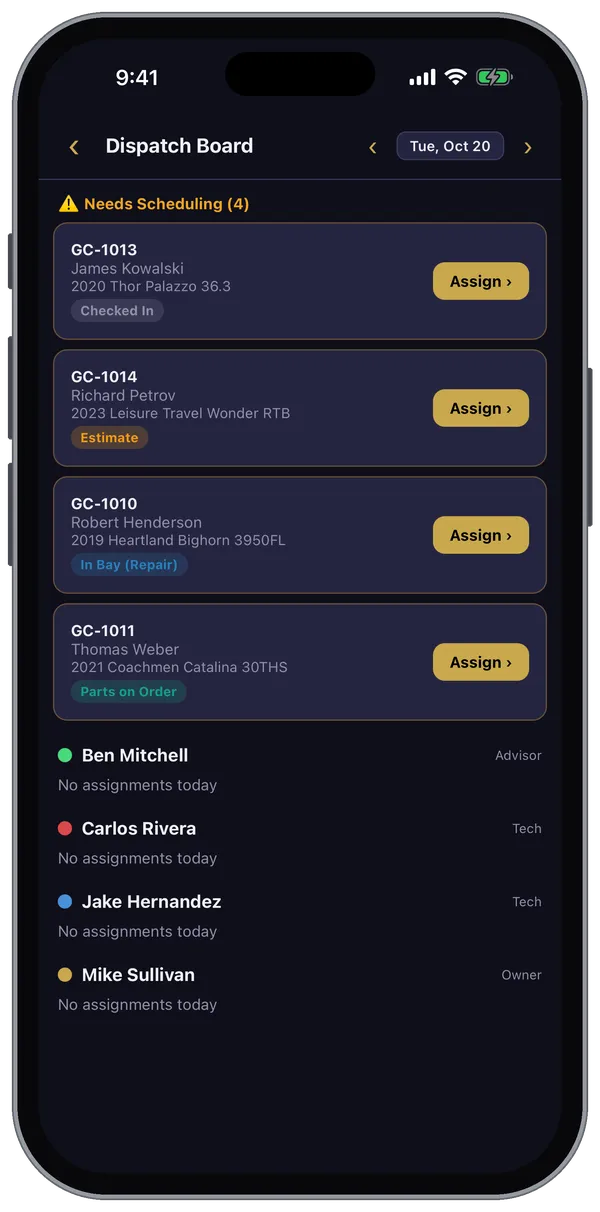
Go to More → Dispatch Board.
- Needs Scheduling lists repair orders that don't have a tech yet, with their status.
- Tap Assign › on one.
- Pick the tech, the start time and, if you like, the bay, then tap Assign.
Below the list, each person shows what they're assigned for the day. Use the arrows at the top to change the day.
The Dispatch Board is on the Starter plan and up.
Still stuck? Send us a message (or email [email protected]) and tell us what you were trying to do — we answer within one business day.