 MarineOps
 Taking Payment
You can take payment anywhere — at the counter, in the bay or at the campsite — from the invoice.
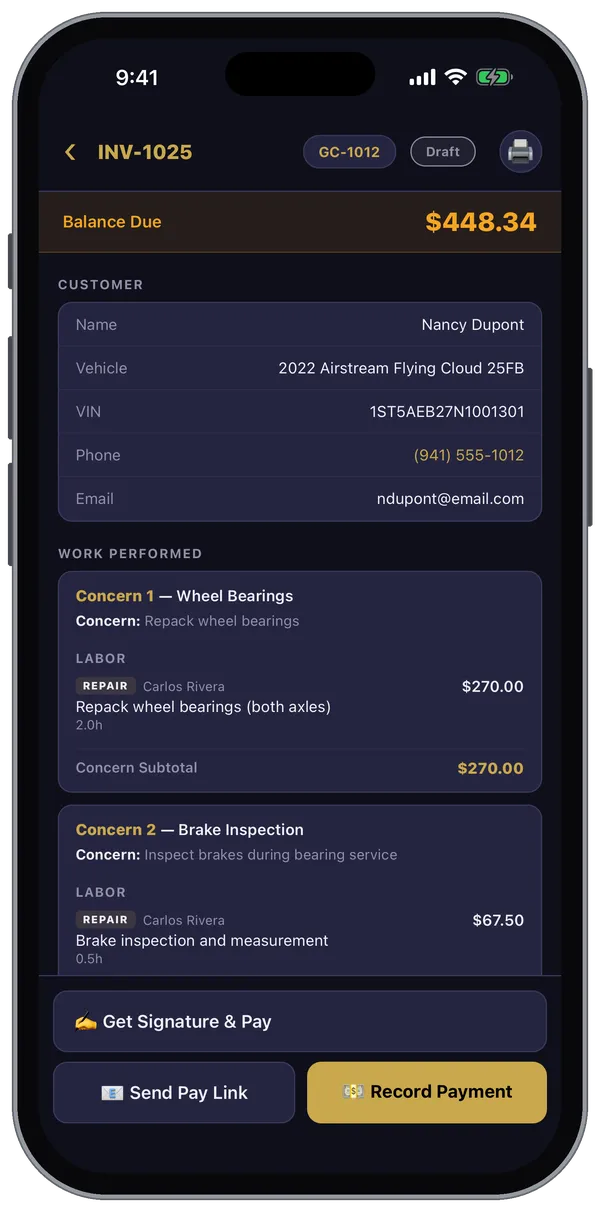
✍️ Get Signature & Pay — with the customer in front of you
- Open the invoice and tap Get Signature & Pay.
- Hand the device to the customer. They look over the invoice, sign, and print their name.
- Choose how they're paying: Cash, Check (add the check number if you like) or Card.
- For a card, if your shop has connected Square, tap 🟦 Tap to Pay (Square) and finish the payment in the Square app.
💳 Record Payment — when you've already been paid
Took cash, a check, or a card on your own terminal? Tap Record Payment, choose Cash, Check, Card or Other, enter the amount, and save. For a card run on a separate reader, use Record Card Manually.
📧 Send Pay Link — let them pay later
Tap Send Pay Link, check the customer's email, and send. They get a link to pay by card online — through Square or Stripe, whichever your shop uses — and the invoice updates by itself when they do.
Several invoices at once
When a job is split between the customer and a warranty company, Combined Checkout on the repair order shows every invoice together so the customer signs once and pays their share.
Mistakes
Under Payment History on the invoice you can void a payment that was recorded by mistake, and refund a card payment that went through online. Both depend on your login.