 MarineOps
 Help Center › Shop Tools
The Bay Board (Shop TV)
A live view of every bay on any TV.
Included in: Pro plan and up
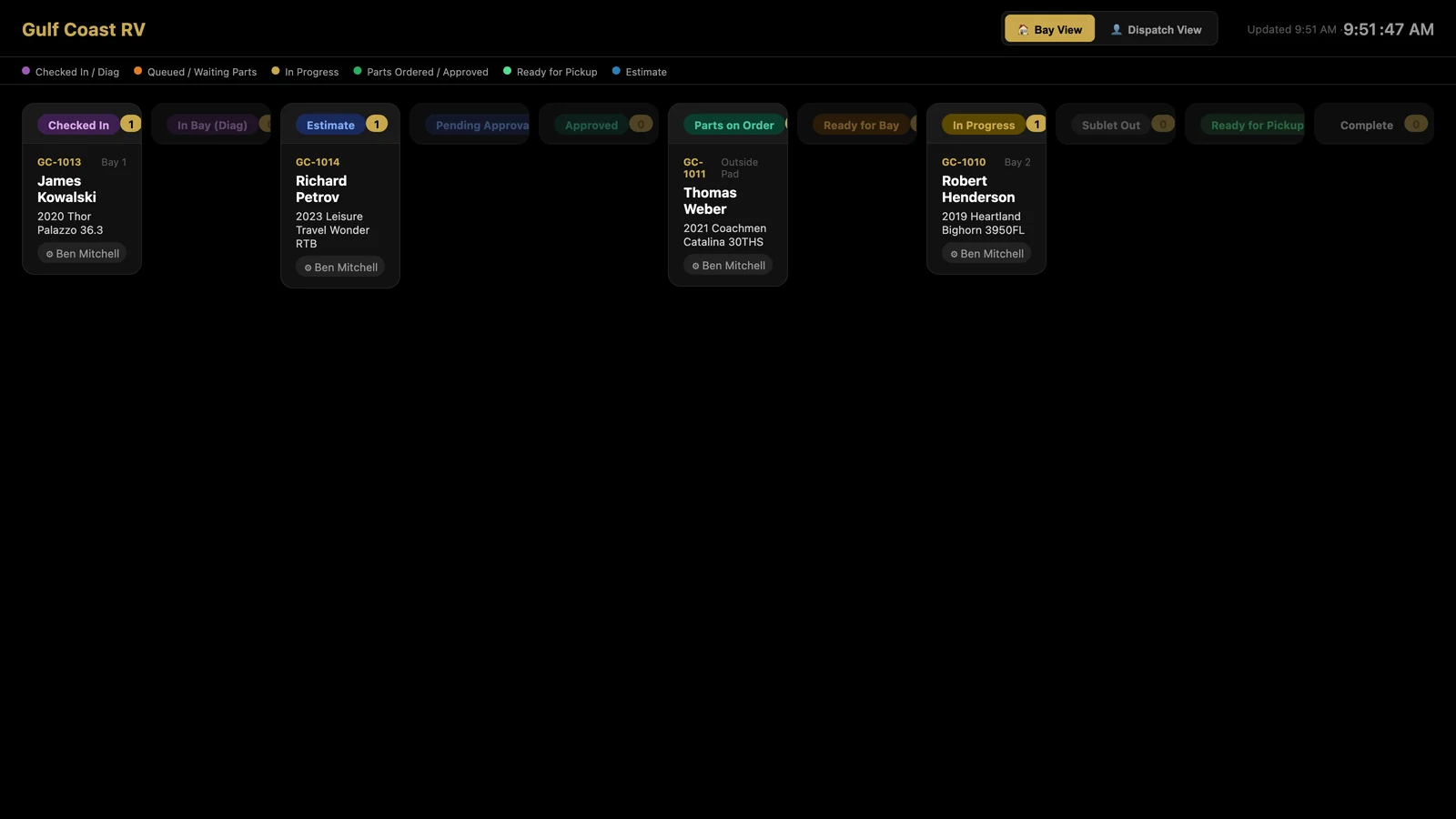
The Bay Board turns any TV in the shop into a live status board: every open repair order in its column — checked in, estimate, parts ordered, in progress, ready for pickup — with the bay, customer, boat and tech. It updates on its own, so the whole shop knows what's next without walking to the office.
Put it on a TV
- Open Settings → Shop Config and scroll to Bay / Dispatch Board.
- Click Get Bay Board URL. You'll get a link like
getrvops.com/bay-board/your-shop. - Open that link in the browser on the TV (a smart TV browser, a Fire Stick, a Chromebox, or a computer plugged into the TV) and make it full screen.
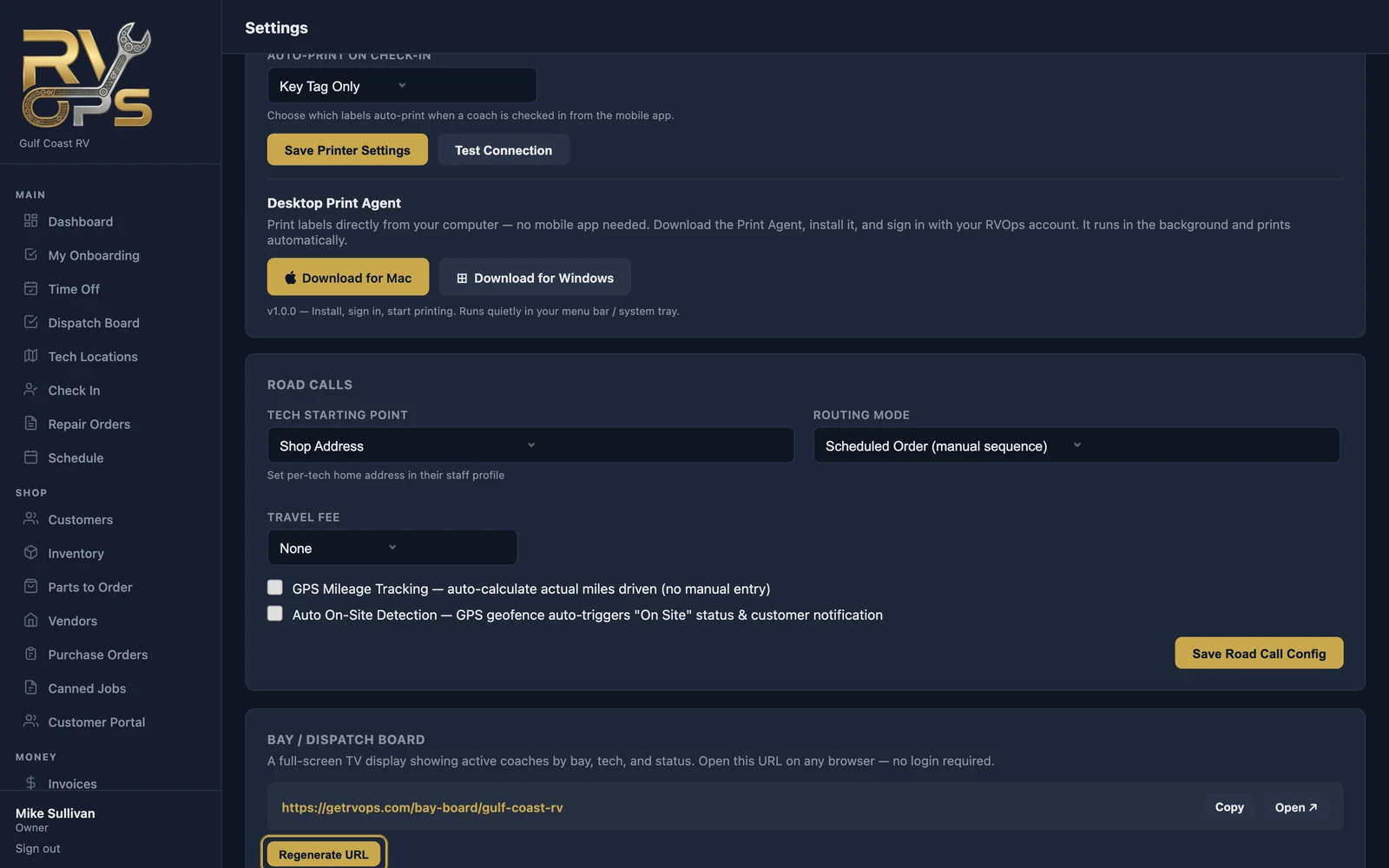
The Bay Board link doesn't need a login, so anyone with the link can see it. It shows customer names and boats — keep it on screens in your shop.
Two views
- 🏠 Bay View — ROs by status, with their bay.
- 👤 Dispatch View — the same work grouped by tech.
Inside MarineOps, Schedule → 🏕️ Bay Board shows bay bookings for the next two weeks.
Still stuck? Send us a message (or email [email protected]) and tell us what you were trying to do — we answer within one business day.