 MarineOps
 Help Center › Money & Reports
Expenses
Record what the shop spends, with receipts.
Included in: Pro plan and up
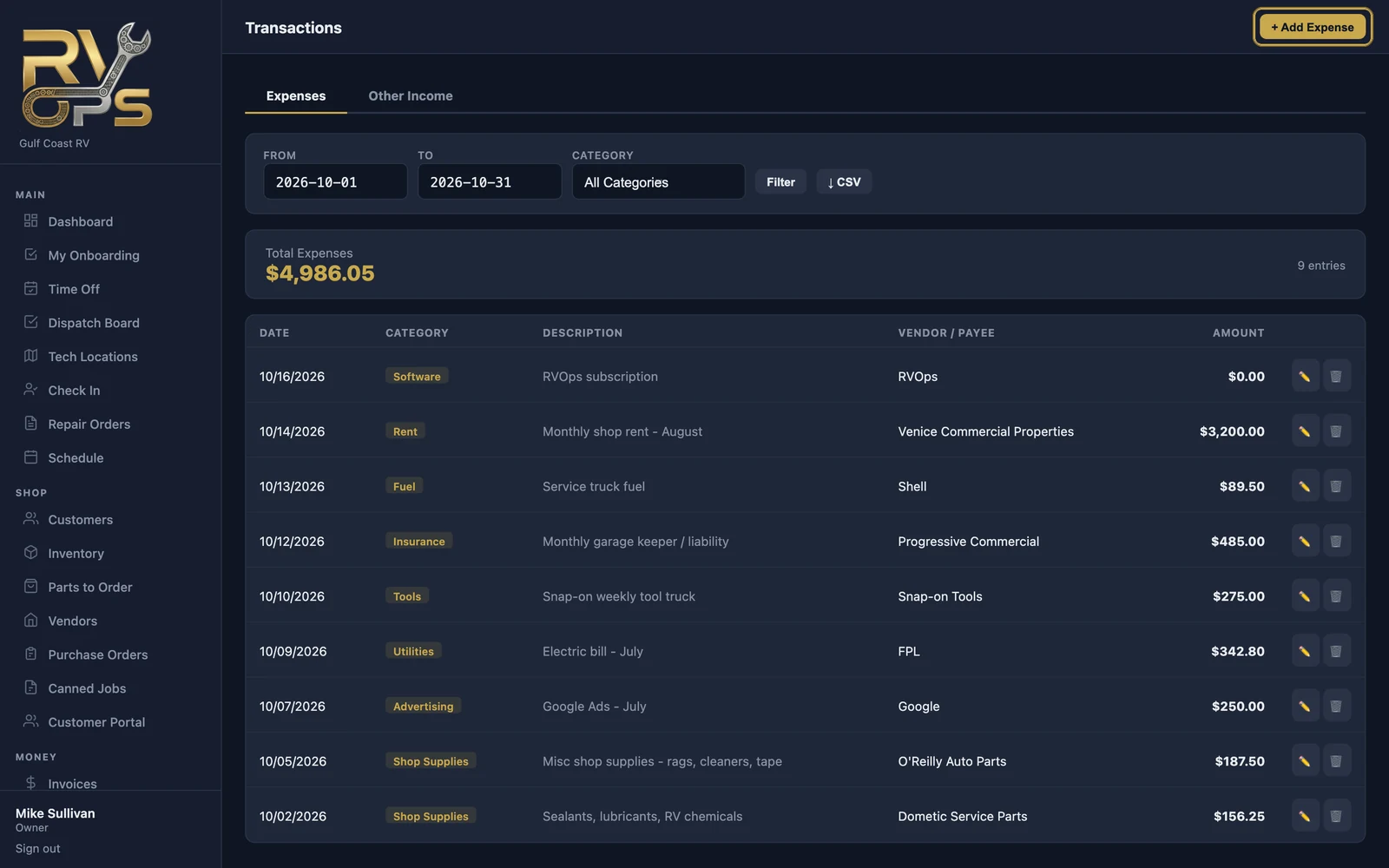
Record what the shop spends — rent, utilities, insurance, tools, advertising — so your P&L shows real profit, not just revenue. Snap a photo of the receipt as you go and tax time is painless.
Add an expense
- Open Money → Transactions and click + Add Expense.
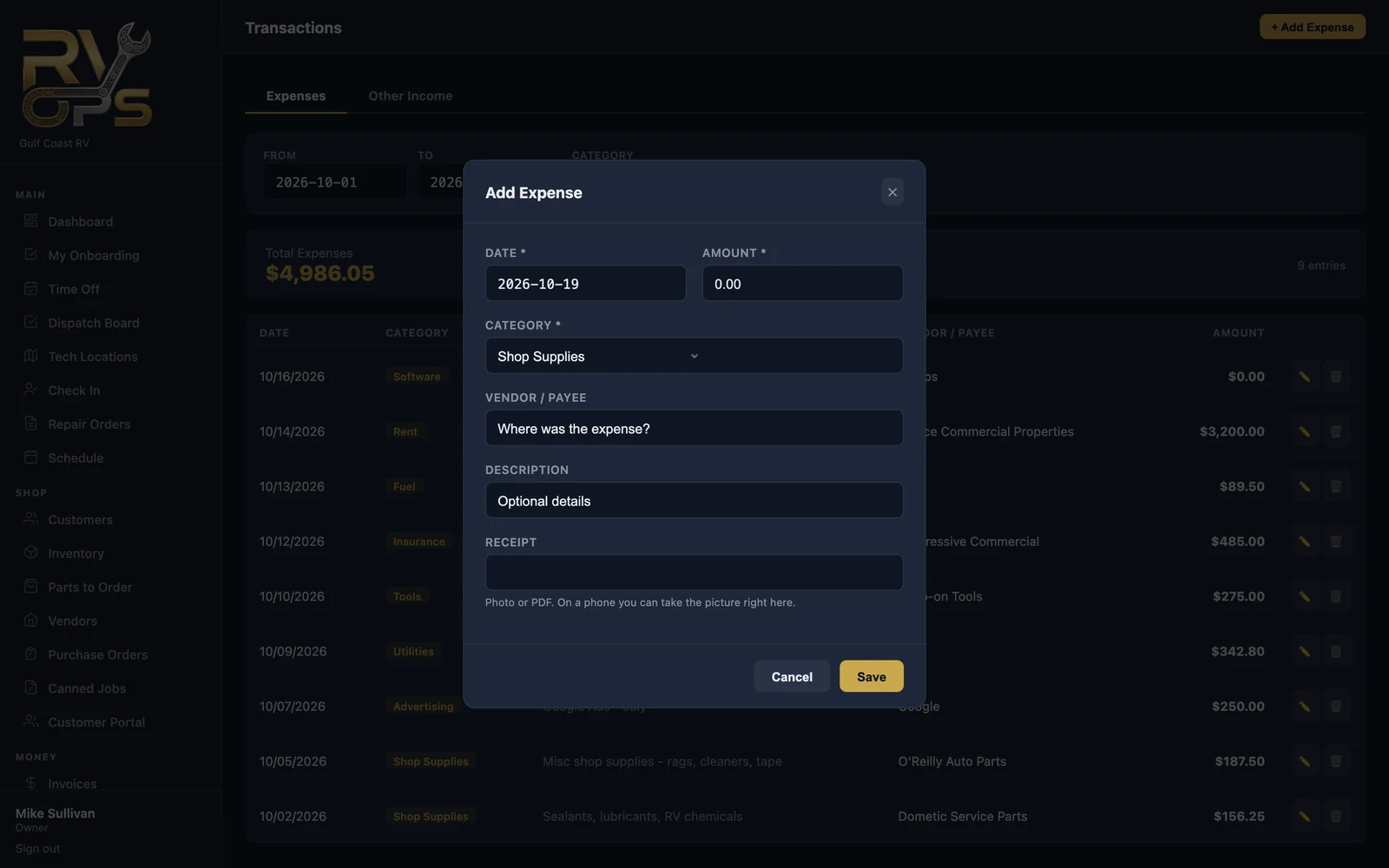
- Enter the date and amount and pick a category. The categories line up with the IRS Schedule C lines your accountant uses, plus non-expense items like owner's draw, loan payments and sales tax payments.
- Add the vendor / payee and a description.
- Attach the receipt — a photo or PDF. On a phone you can take the picture right in the form.
- Click Save.
With bank feeds connected (Elite), you can create expenses straight from your bank transactions instead of typing them.
Other income
Money in that isn't a customer invoice — a rebate, a refund from a vendor, interest — goes on the Other Income tab so it's counted correctly.
Filter by dates or category, and ↓ CSV to export.
Still stuck? Send us a message (or email [email protected]) and tell us what you were trying to do — we answer within one business day.