 MarineOps
 Help Center › Invoices & Payments
Invoicing a Repair Order
Turn finished work into an invoice in one click.
Included in: Every plan
On this pageCreate the invoiceThe invoice pageLast-minute changesPaid invoicesSending receipts automatically
When the work is done, one click turns the repair order into an invoice — every approved job, its labor and parts, shop supplies and tax, exactly as they are on the RO. Declined jobs are left off automatically.
Create the invoice
- On the repair order, click Create Invoice → 📄 Full Invoice.
- Tick the jobs (concerns) to bill. Everything approved is ticked; untick anything you'll bill later.
- Click Create Invoice. The invoice opens and the RO moves to Invoiced.
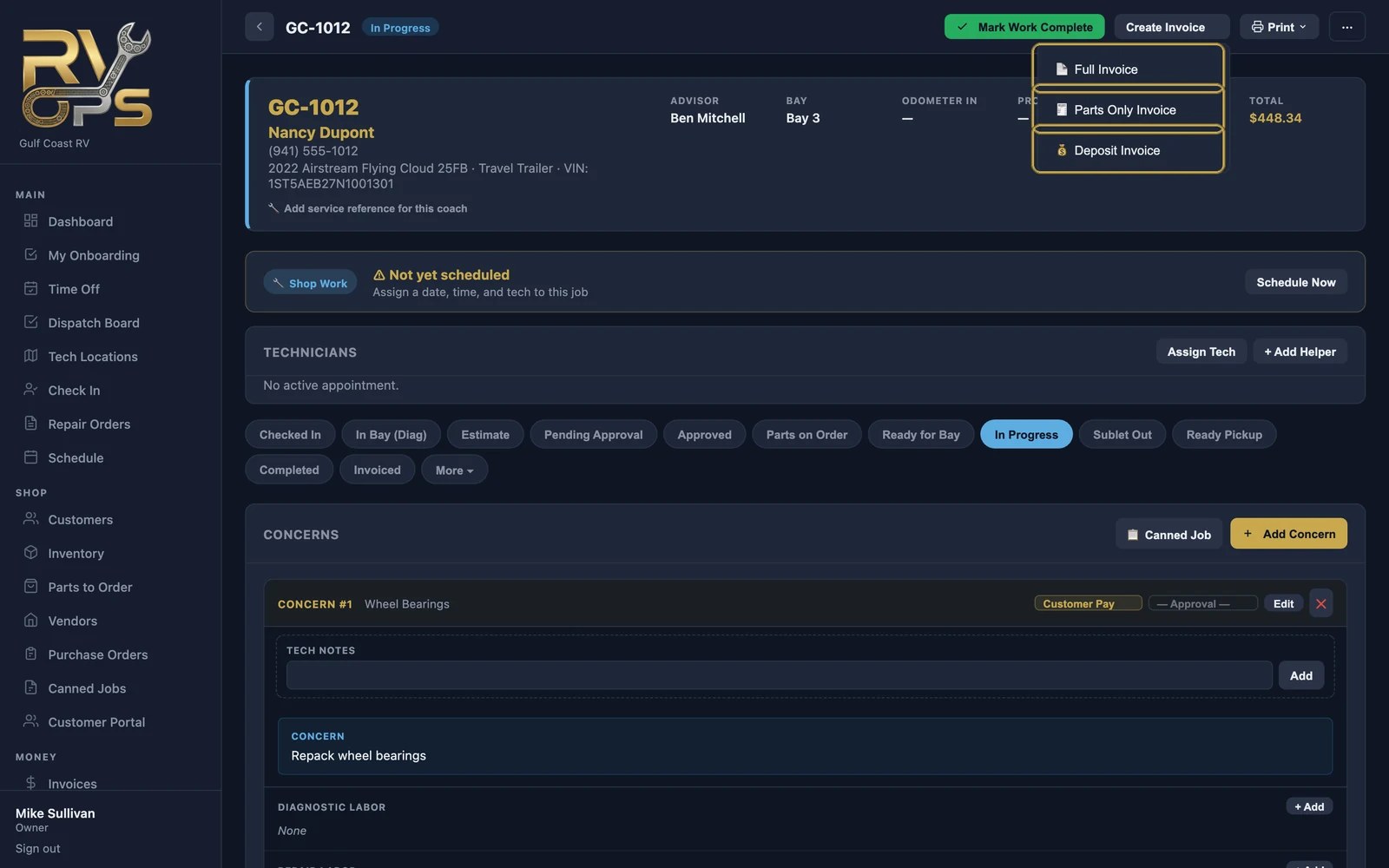
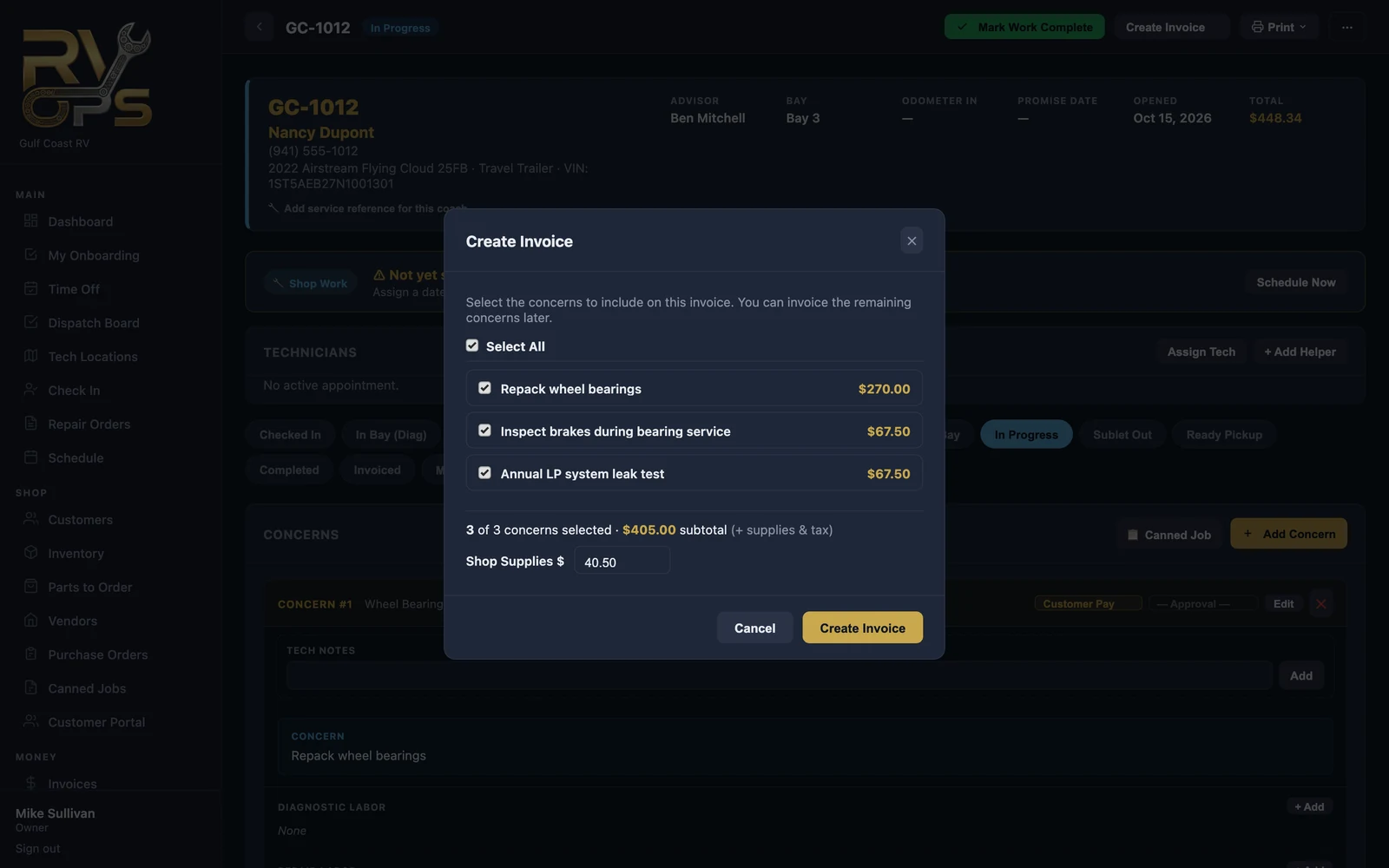
Billing jobs on separate invoices is how you split work between payers — for example, the customer's part on one invoice and the warranty company's on another.
The invoice page
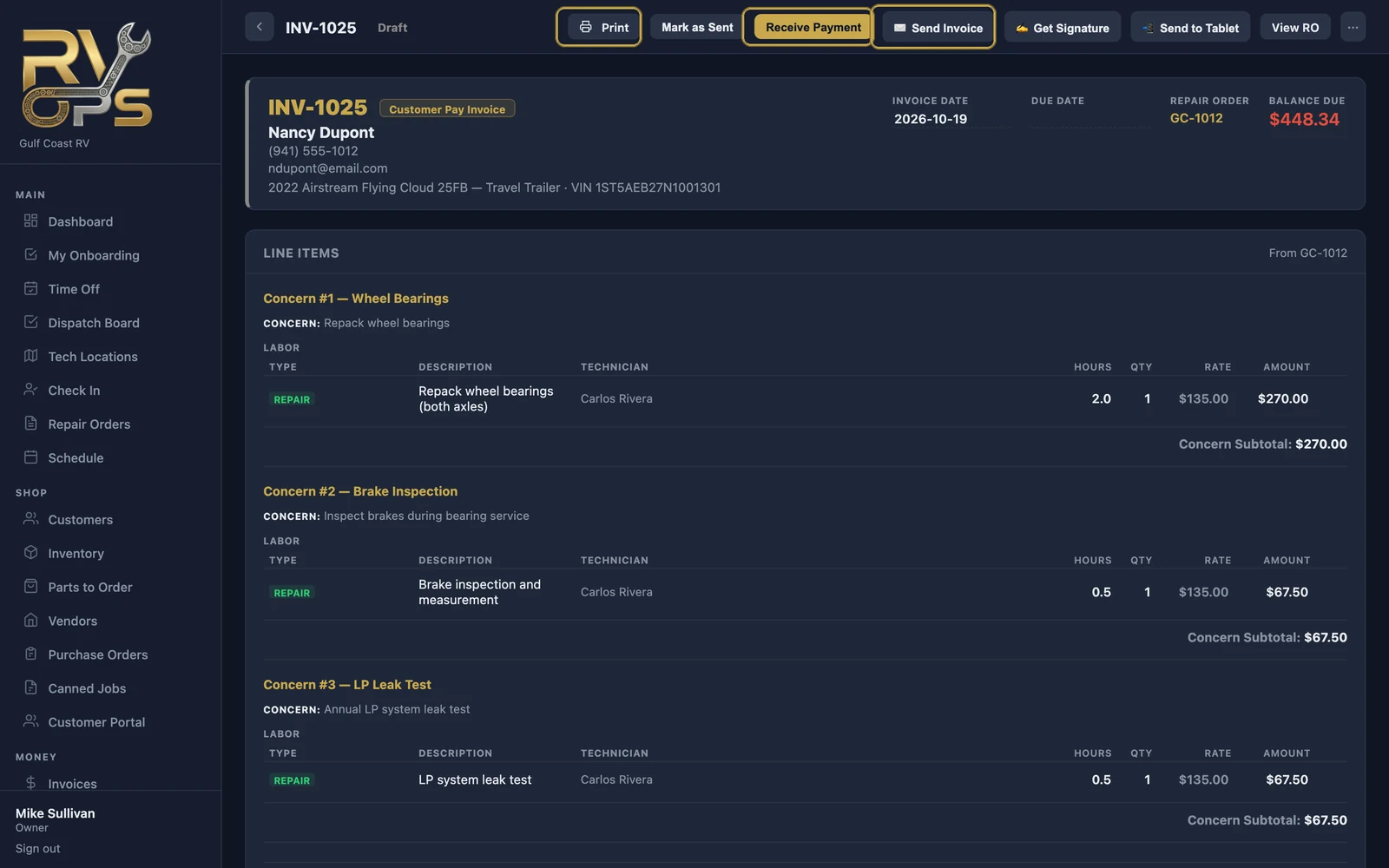
| Button | What it does |
|---|---|
| Opens a PDF of the invoice to print or save | |
| Mark as Sent | Marks a draft as sent when you hand it over in person |
| Receive Payment | Record cash, check or card, or charge a card — see Taking Payments |
| ✉️ Send Invoice | Emails the invoice with a secure link to pay online |
| ✍️ Get Signature | Have the customer sign on screen at pickup |
| 📲 Send to Tablet | Pushes the invoice to a counter tablet running the tech app, for the customer to review, sign and pay |
| View RO | Back to the repair order |
| ⋯ | Sync from RO, void or delete — see Voids, Refunds & Corrections |
Last-minute changes
- Discount — enter a percent or dollar discount on the invoice.
- Shop supplies and tax — click ✎ next to either to override the automatic amount for this invoice.
- Changed something on the RO after invoicing? Use ⋯ → Sync from RO to pull the changes onto an unpaid invoice.
Paid invoices
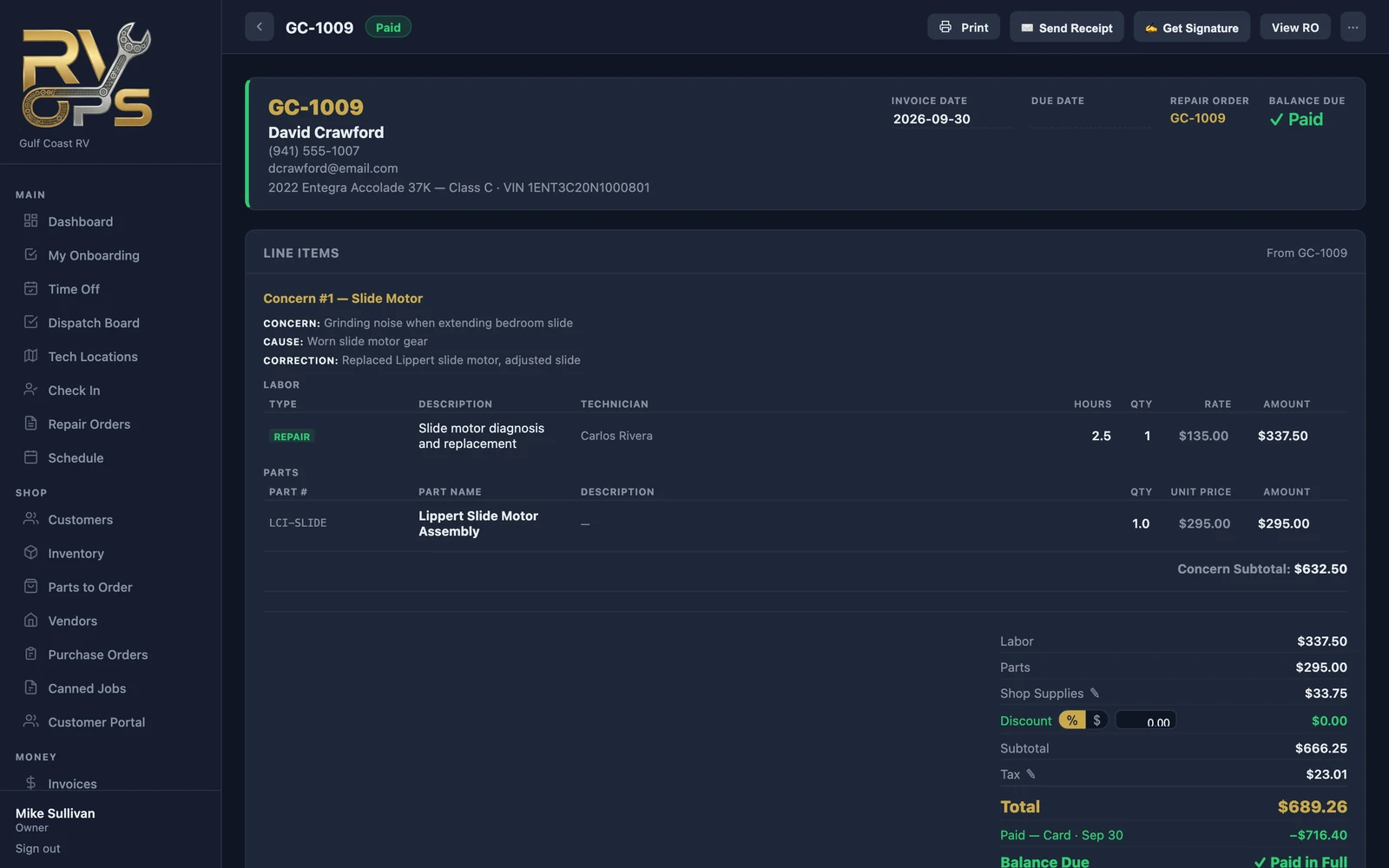
Once paid in full, the invoice shows Paid with each payment listed at the bottom. Paid invoices are locked so the numbers your books depend on can't change by accident.
Sending receipts automatically
Turn on Auto-send invoice when payment is collected under Settings → Notifications, and the customer gets a paid receipt by email the moment you record their payment.
Still stuck? Send us a message (or email [email protected]) and tell us what you were trying to do — we answer within one business day.