 MarineOps
 Customers & boats
Every customer has one page with their contact details, all their boats, and every repair order they've ever had — so whoever answers the phone can see the whole history in seconds.
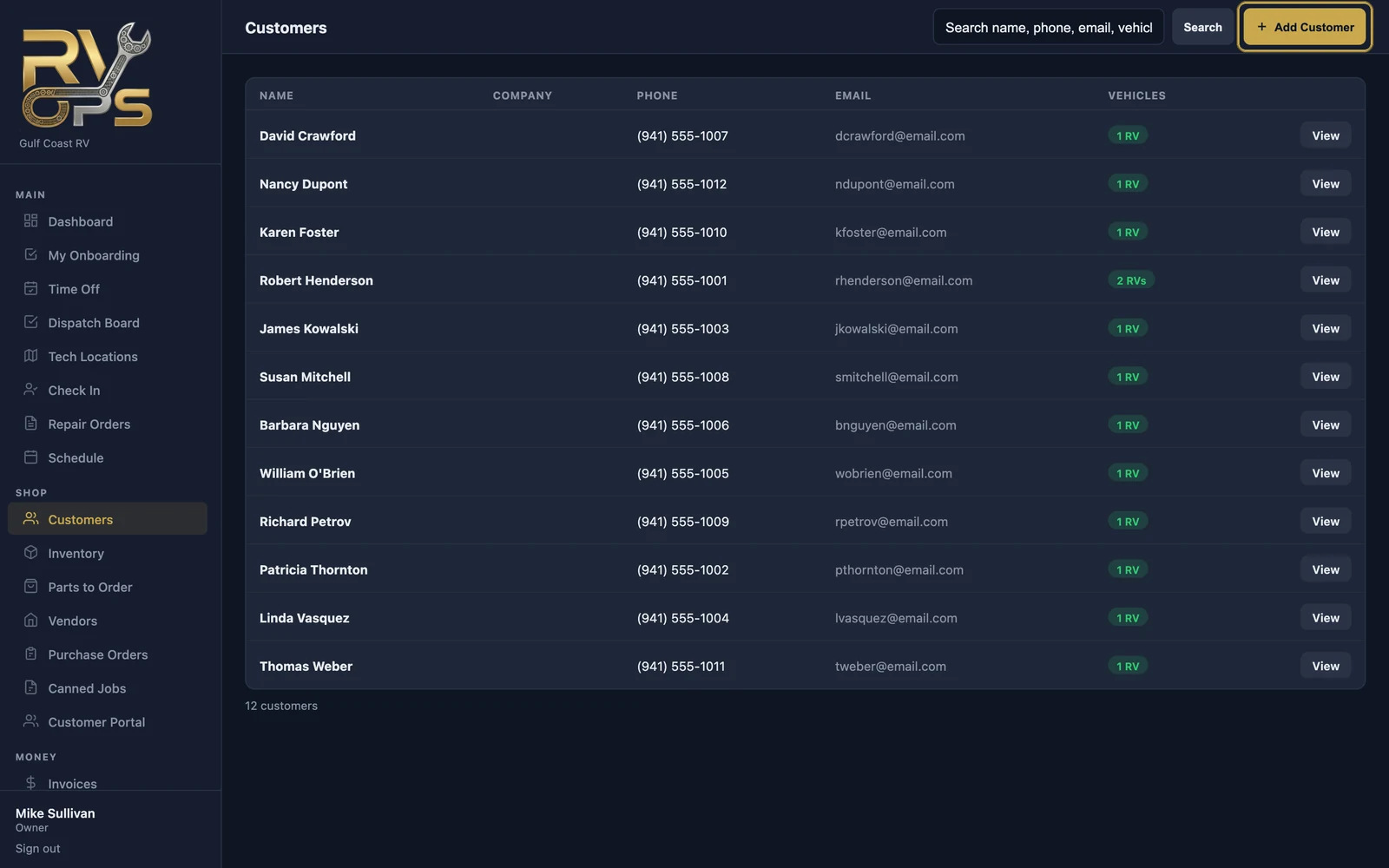
Add a customer
- Open Customers and click Add Customer.
- Enter their name, phone, email and address. Email is how they receive estimates, invoices and portal links.
- Save, then click + Add Vehicle to add their boat.
The customer page
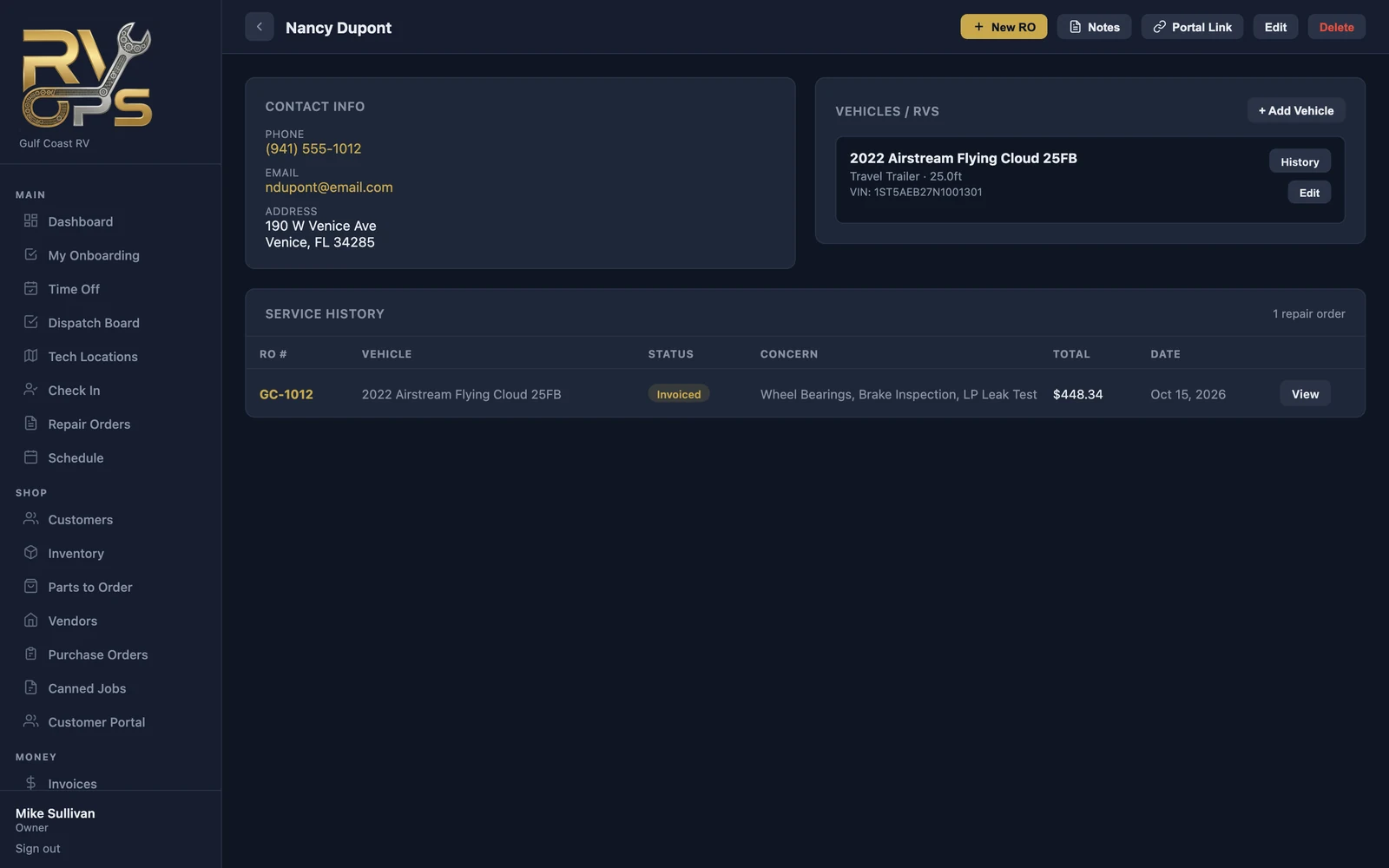
- New RO — start a repair order for them.
- Notes — anything worth remembering ("prefers texts", "gate code 4411").
- Portal Link — send them a link that signs them straight into the customer portal.
- Service History — every repair order, its status and total.
boats
Add each boat with its year, make, model, type, length and HIN. Scanning the HIN from the tech app fills in the details (see Scanning). Click History next to a boat to open its page: every visit, what's been spent on it, and its maintenance records.
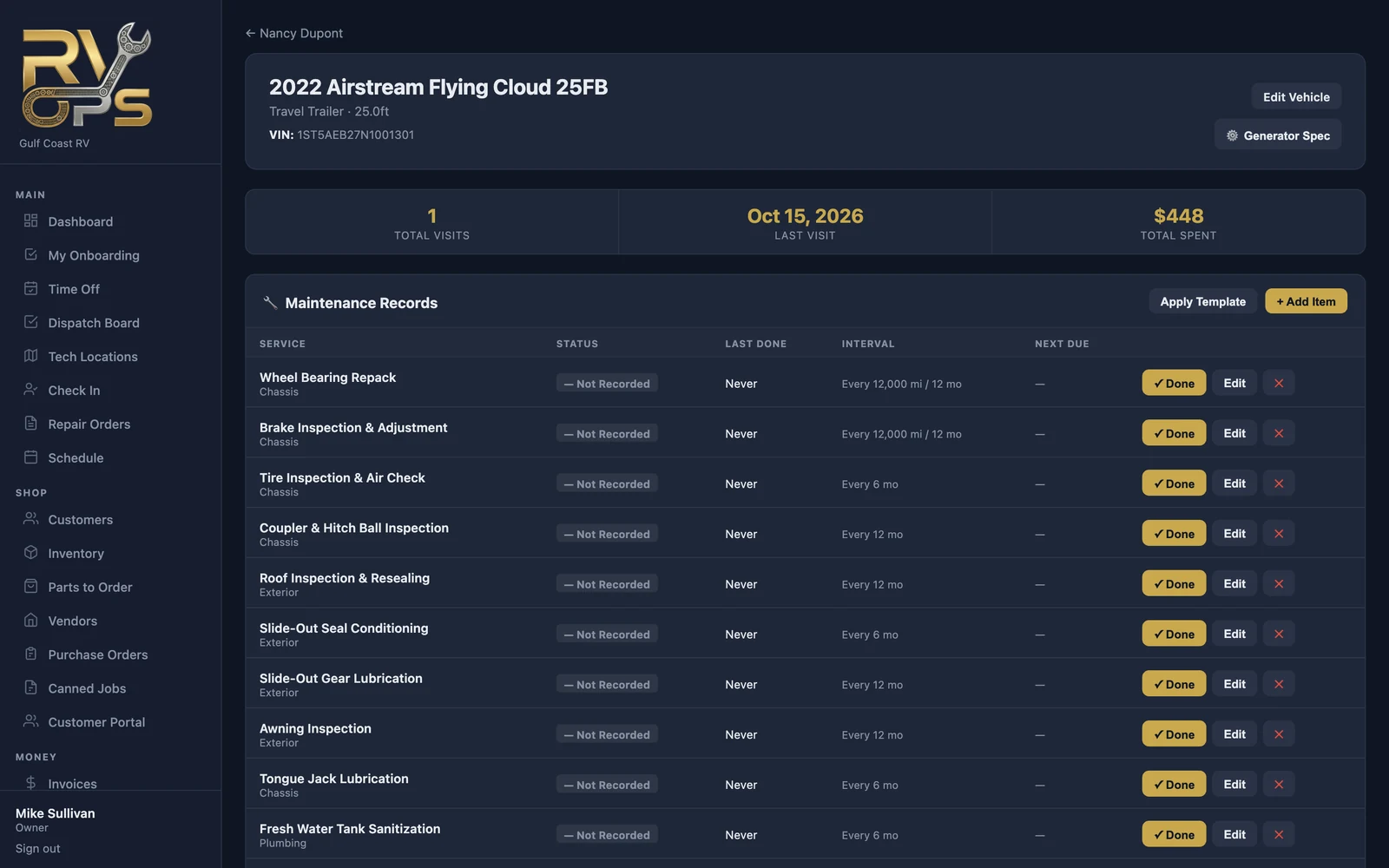
Maintenance records
Each boat has a list of service items with their intervals (miles and/or months), when each was last done, and when it's due next. Click ✓ Done when you service an item, or add your own with + Add Item. On the Elite plan, Apply Template loads a full schedule for that boat type in one click, and MarineOps can email customers when items come due (see Service Reminders).
Custom boat types
Work on more than standard boats — horse trailers, restroom trailers, food trucks? Add your own types under Settings → Templates & Specs → Maint. Templates → Vehicle Categories.