 MarineOps
 Help Center › Parts & Inventory
Vendors
Keep your suppliers and their contacts in one place.
Included in: Pro plan and up
Keep every supplier in one place — their contact, your account number, phone, email and website — so anyone ordering parts can find them in seconds. Vendors are also attached to parts in your list and to purchase orders.
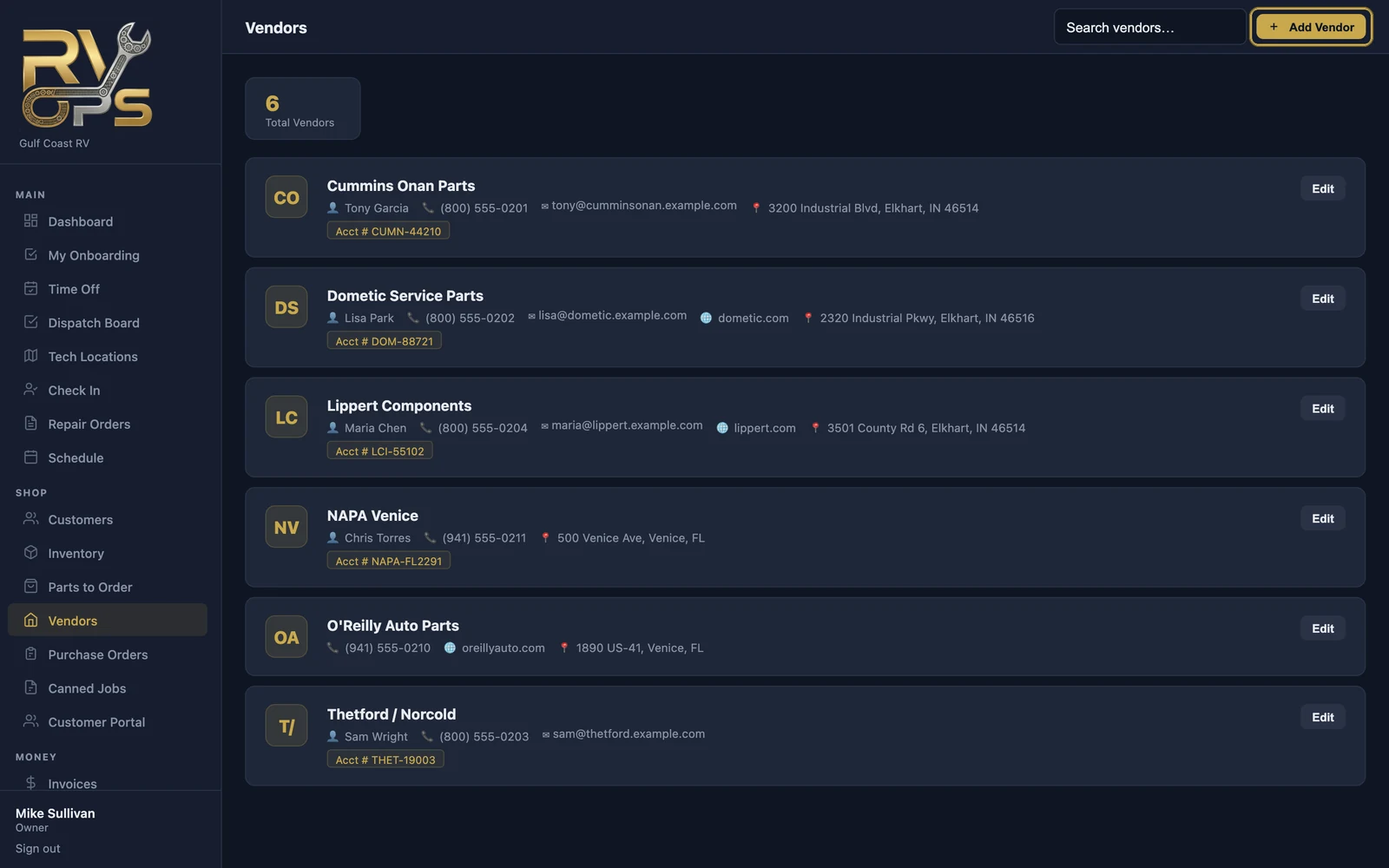
Add a vendor
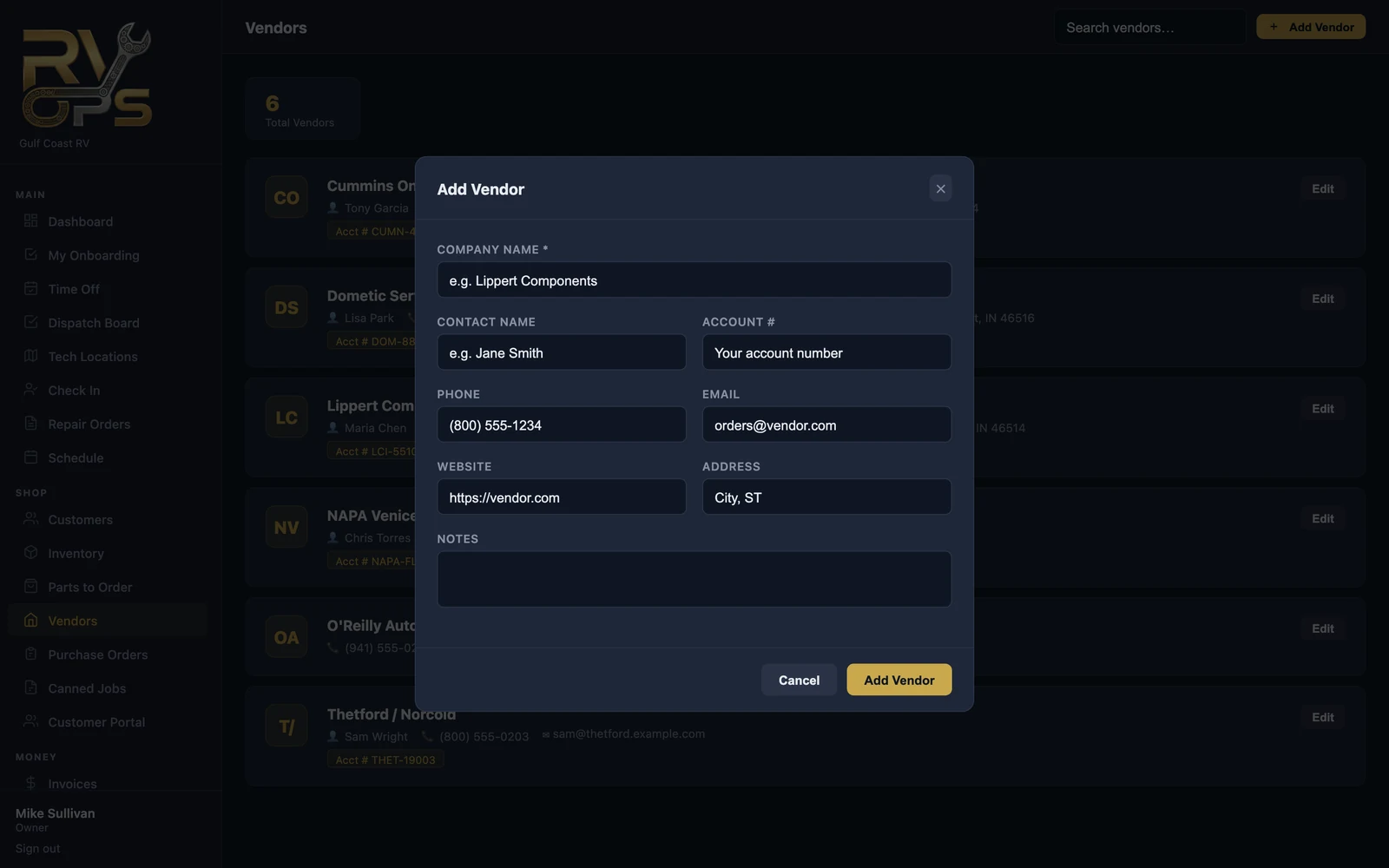
- Open Vendors and click Add Vendor.
- Enter the company name, plus the contact name, your account number, phone, email, website, address and notes.
- Click Add Vendor.
Account numbers can be sensitive. The "View vendor list" permission controls who can see vendors (see staff permissions).
Still stuck? Send us a message (or email [email protected]) and tell us what you were trying to do — we answer within one business day.