 MarineOps
 Help Center › Invoices & Payments
Deposits & Parts-Only Invoices
Collect money up front before work or parts arrive.
Included in: Every plan
Two kinds of invoices let you collect money before the job is finished: a deposit against the estimate, and a parts-only invoice for parts you're ordering. Both come off the final bill automatically, so the customer never pays twice.
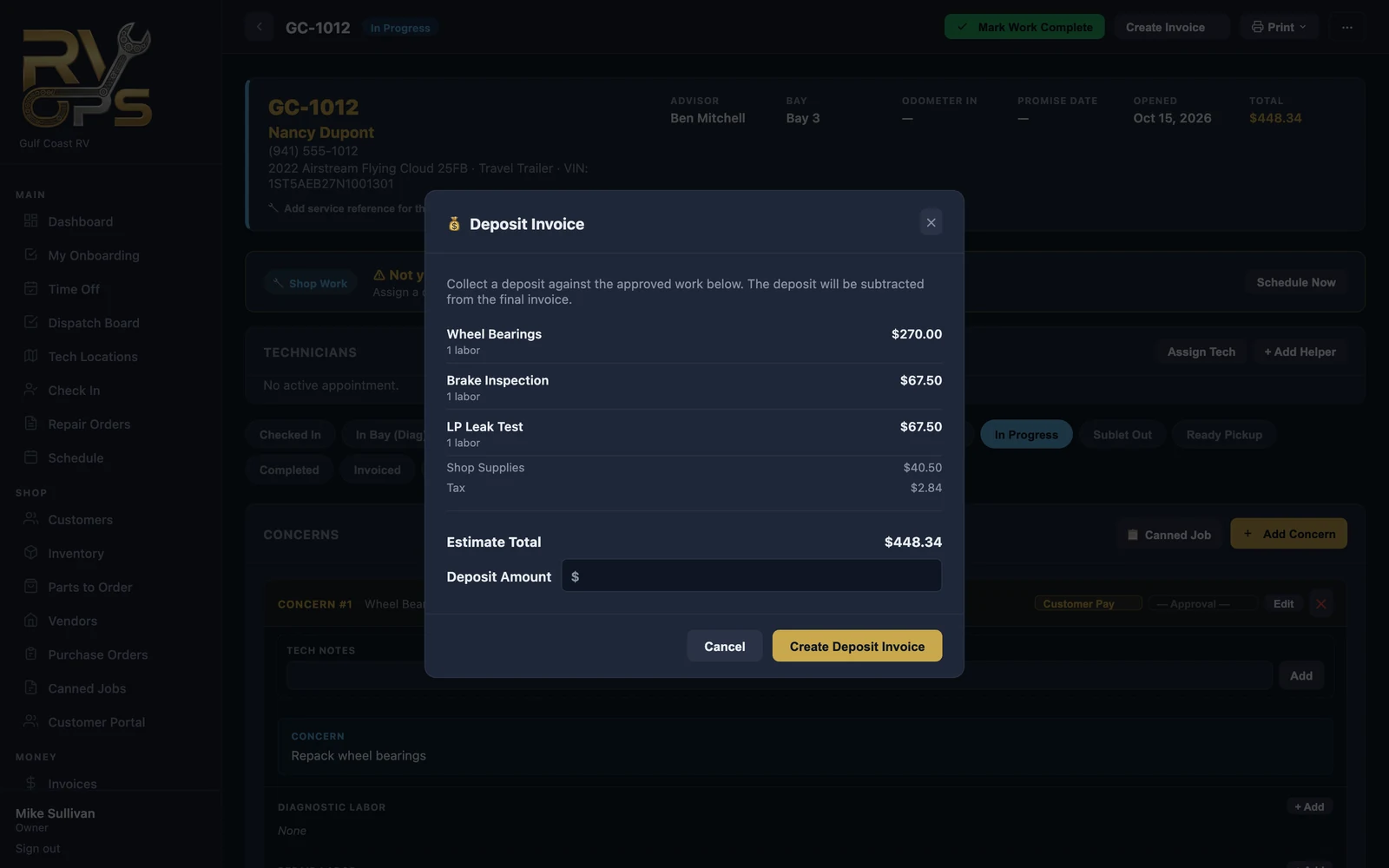
Deposit invoices
Use a deposit for big jobs, special-order work, or a customer you haven't worked with before.
- On the RO, click Create Invoice → 💰 Deposit Invoice.
- Check the estimate total shown, and enter the deposit amount.
- Click Create Deposit Invoice, then send it or take payment like any invoice.
Parts-only invoices
Bill the parts now — before they're ordered, or as soon as they arrive — and leave the labor for the final invoice.
- On the RO, click Create Invoice → 🧾 Parts Only Invoice.
- Every billable part is ticked. Untick anything you don't want on this invoice, and choose whether to tax parts.
- Click Create Parts Invoice.
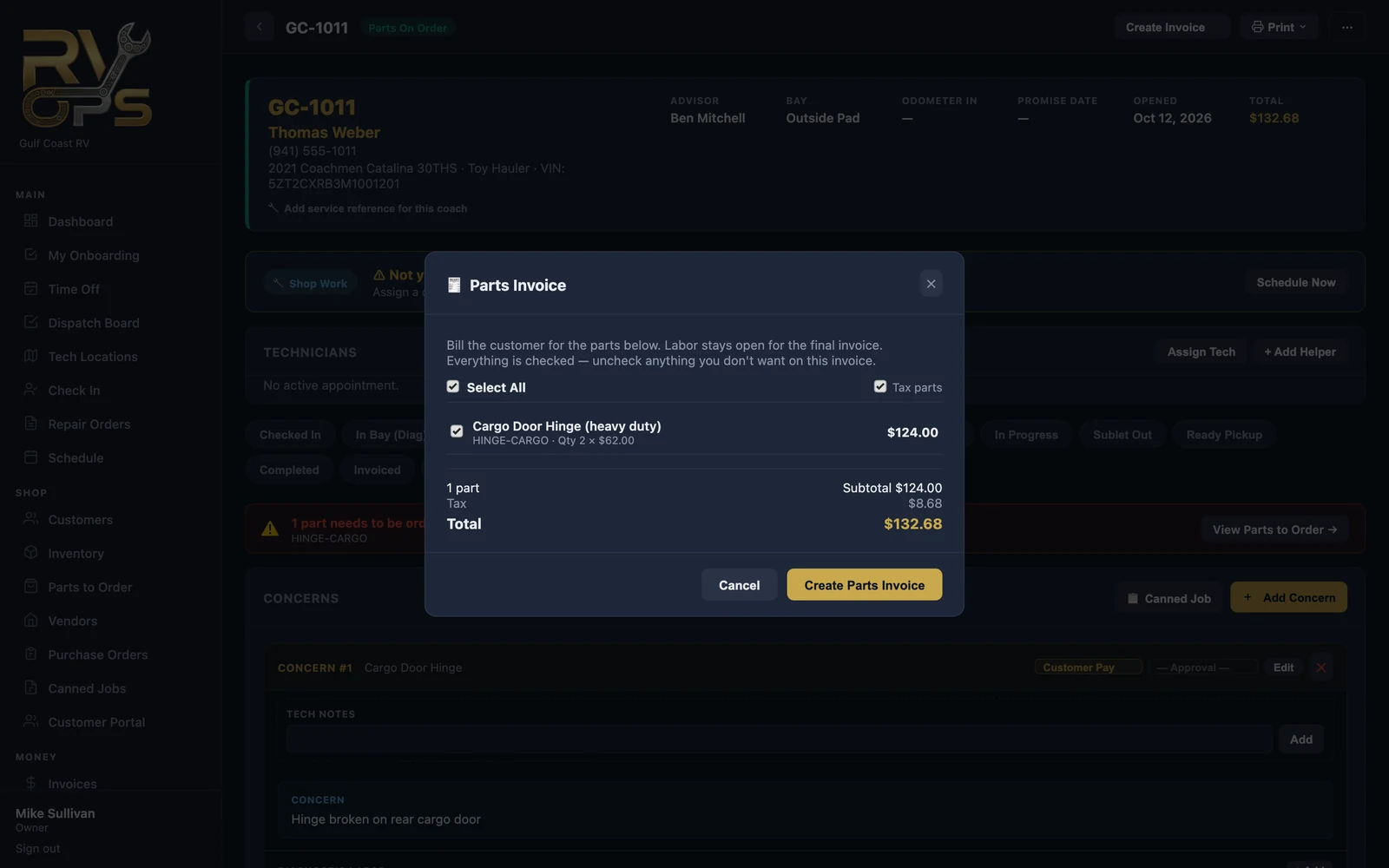
When you create the final invoice, parts that were already paid show at $0 so the customer isn't charged again.
Changes after the customer has paid for parts
- Freight on a paid part can be added as its own line on the final invoice.
- If you used more or fewer than were paid for, add a quantity adjustment — the final invoice bills (or credits) just the difference.
Still stuck? Send us a message (or email [email protected]) and tell us what you were trying to do — we answer within one business day.