 MarineOps
 Help Center › Money & Reports
Sales Tax
How tax is figured and the sales tax report.
Included in: Every plan
MarineOps figures sales tax on every repair order and invoice from your shop's tax settings, and the Sales Tax report shows exactly what you collected for your state filing.
Set up your tax
- Open Settings → Shop Config.
- Enter your combined Sales Tax Rate (state plus county).
- Tick Tax parts, Tax labor, or both — whatever your state requires.
- If you pass card fees to customers, decide whether to charge sales tax on the card fee (Florida treats a card fee passed to the customer as part of the taxable sale).
- Click Save Shop Config.
Exceptions
On any invoice, click ✎ next to Tax to override it for that invoice — for example a tax-exempt customer.
The Sales Tax report
Open Reports → Sales Tax and pick the period you're filing for. You'll see tax collected and revenue by month, and your effective rate. Export with ⬇ CSV for your filing or your accountant.
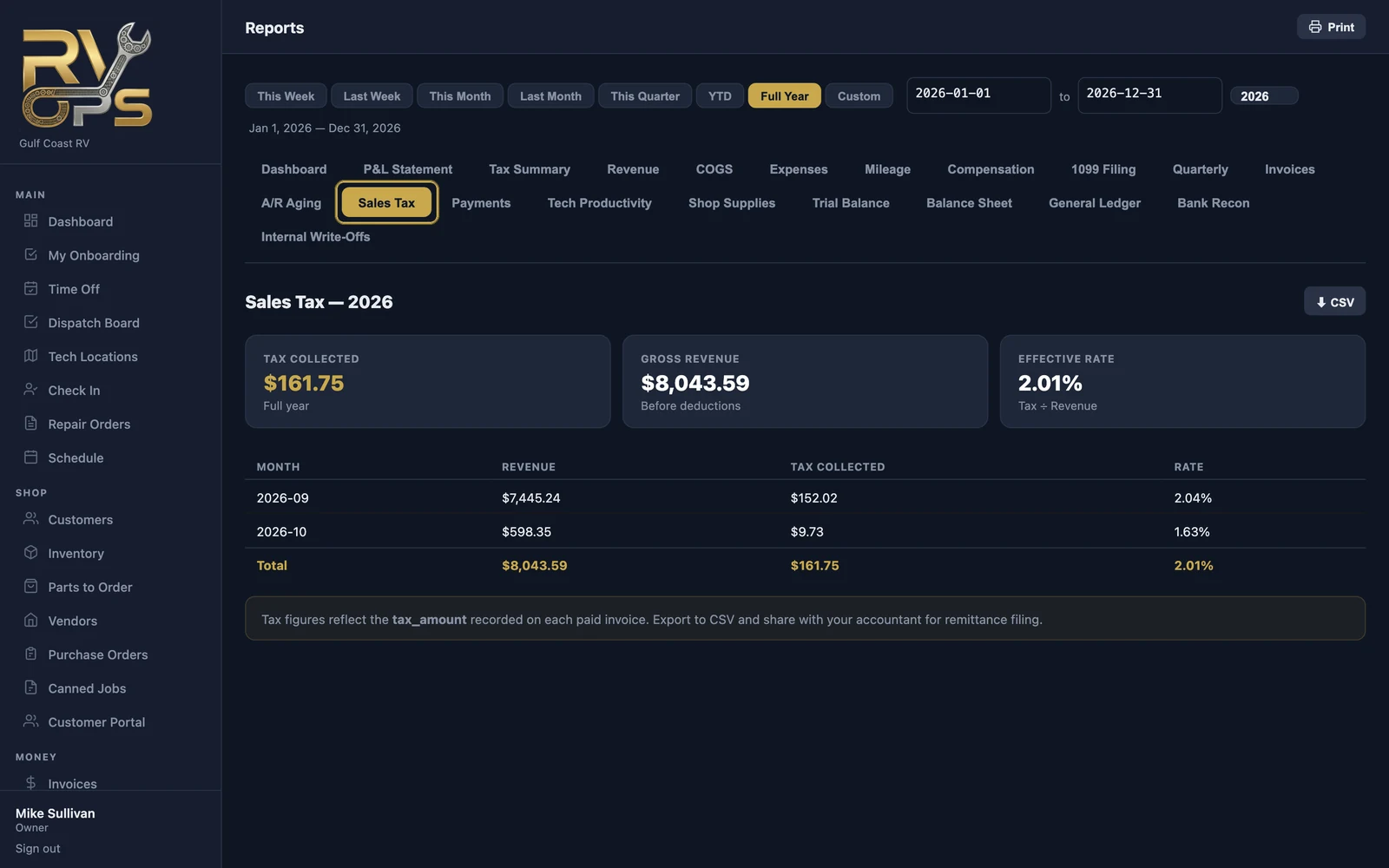
The report uses the tax recorded on each paid invoice. MarineOps doesn't file or pay sales tax for you.
Still stuck? Send us a message (or email [email protected]) and tell us what you were trying to do — we answer within one business day.