 MarineOps
 Help Center › Getting Started
Plans, Billing & Your Subscription
What each plan includes, upgrading, and your free trial.
Included in: Every plan
Every new shop starts with a 14-day free trial — no credit card needed. You can subscribe any time during the trial, and the rest of your free days carry over.
The plans
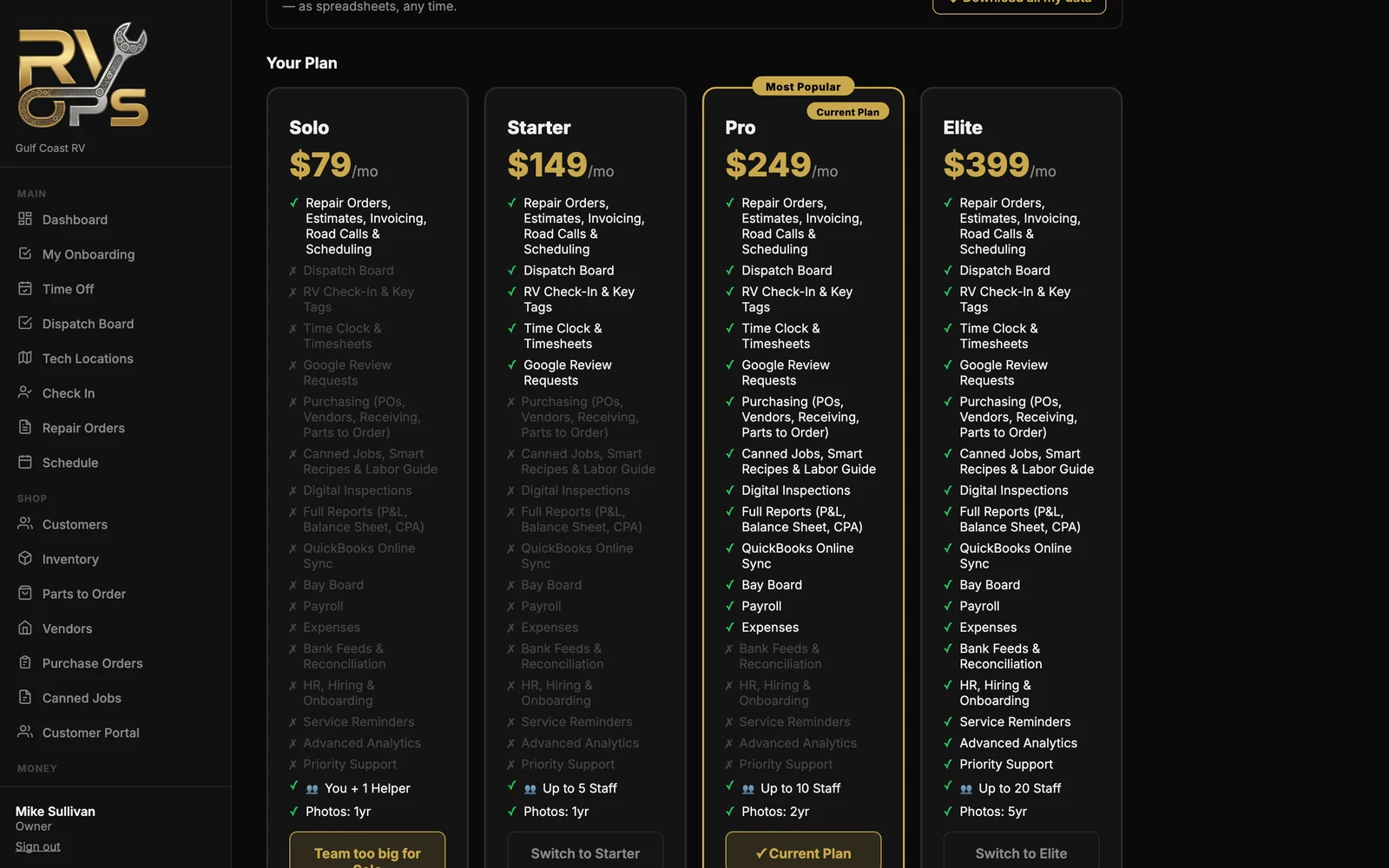
| Plan | Price | Staff logins (besides the owner) | Built for |
|---|---|---|---|
| Solo | $79/mo | None — owner only | An owner-operator mobile boat tech working alone |
| Starter | $149/mo | 5 | Small shops running a few bays |
| Pro | $249/mo | 10 | Busy shops with a parts room and a service writer |
| Elite | $399/mo | 20 | Running the whole business — books, bank feeds and HR |
Every plan includes repair orders, estimates and customer approvals, invoicing and payments, the customer portal, road calls, scheduling, your parts list and price book, photos, the tech app, basic reports, and importing and exporting your data.
- Starter adds: dispatch board, boat check-in and key tags, time clock and timesheets, Google review requests.
- Pro adds: purchasing (POs, vendors, receiving, parts to order), canned jobs and your labor guide, digital inspections, full reports (P&L, balance sheet, CPA), QuickBooks Online, the bay board and expenses.
- Elite adds: bank feeds and reconciliation, HR / hiring / onboarding, service reminders, advanced analytics and priority support.
Each article in this manual shows which plan includes that feature at the top.
Subscribe, upgrade or switch plans
- Open Settings → Billing (owner only).
- Pick a plan and click Subscribe (during your trial) or Switch to ….
- Pay by bank account or card on the secure Stripe checkout.
You can't move to a plan with fewer staff logins than you're using. Set extra staff to Inactive first (Team → Staff), then switch.
When you hit a locked feature
Buttons and pages outside your plan show a 🔒. Clicking one tells you which plan includes it. Upgrades take effect right away.
Cancelling
See Cancelling Your Subscription. Your data stays downloadable for 90 days after you cancel.
Still stuck? Send us a message (or email [email protected]) and tell us what you were trying to do — we answer within one business day.